
Why External Links Are Killing Your LinkedIn Reach
Sharing a link on LinkedIn used to be normal. In 2026 it can cost you half your reach. Here's what's actually happening - and what to post instead.
You wrote something good. A real article, an actual point of view, maybe data you pulled together yourself. You posted it on LinkedIn with a link, the way you always have, expecting it to do what your best posts usually do.
It didn't. Three likes. No comments. Barely a ripple. No matter how solid your personal branding or your broader content strategy is, one bad habit in your social media distribution can quietly undo all of it.
If “why did my LinkedIn post with a link get no views” is the exact question you've been Googling, you're not losing your touch, and you're not alone. You've run into one of the most consistent, well-documented shifts in LinkedIn's algorithm 2026 update (see Post 1 in this calendar): posts with external links are getting meaningfully less reach than posts without them - sometimes by half or more.
What's Actually Happening: The LinkedIn External Link Penalty
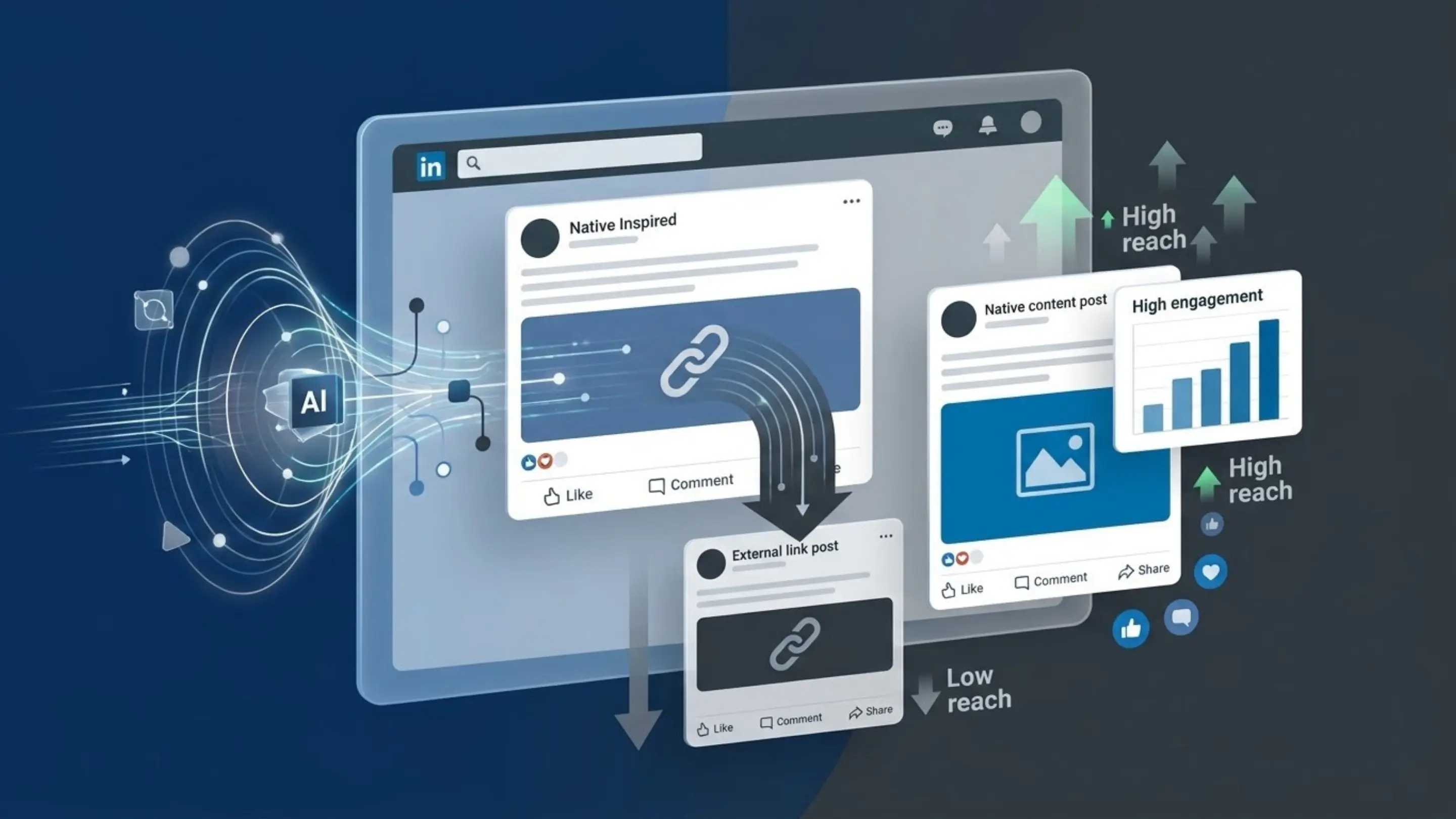
Direct answer: LinkedIn's 2026 algorithm reduces the distribution of posts containing external links, with commonly reported drops in the 50-60% range compared to native posts covering the same topic. This applies even when the link sits in the comments instead of the post body - the system has gotten better at recognizing the pattern regardless of where the link lives.
This isn't a rumor or one disgruntled creator's theory. It's a pattern independently reported across enough accounts, at enough scale, that people who track the platform closely now treat it as settled behaviour. Richard van der Blom, whose annual Algorithm Insights report is one of the most cited sources on how LinkedIn's ranking actually works, has documented this shift as part of the same 2026 overhaul we broke down last week - the update that also went after engagement bait, automation, and the myth of a fixed “golden hour.”
Why LinkedIn Built the Penalty in the First Place
LinkedIn's business runs on time spent on LinkedIn. Every link out is, from the platform's point of view, a small bet against its own numbers. That's not a new idea - Facebook and Instagram have leaned on similar link-suppression logic for years. What's different in 2026 is how aggressively LinkedIn started enforcing it, folded into the broader Authenticity Update that reshaped so much of what works and doesn't right now.
It's worth sitting with the actual logic here, because it isn't arbitrary: LinkedIn is optimizing for a specific definition of a good post - one that gives someone a reason to stay, read, and respond right there, instead of clicking away and maybe never coming back. A link, by definition, invites the opposite.
Does “Link in First Comment” Still Work?
Direct answer: Not reliably. The old workaround — publishing a link-free post and dropping the actual link into the first comment - used to preserve most of a post's reach. In 2026, LinkedIn's detection has closed much of that gap, and posts still see a real reach reduction even with the link tucked away in the comments.
If you've been leaning on this, it's worth knowing it hasn't disappeared entirely - some creators still report a smaller benefit versus linking directly in the post body. But it's no longer the dependable loophole it used to be. Treat it as a minor mitigation now, not a fix.
What to Post Instead
Direct answer: Take the actual insight from your article and publish it as the post itself - the full idea, not a teaser pointing away - and save the link for the people who genuinely want to go deeper.
This is the core of any working linkedin native content strategy in 2026: give the platform something worth ranking on its own, not a doorway to somewhere else. It also happens to be good for linkedin engagement in the plain sense - native posts get more comments, not just more views, because there's something in front of the reader to actually respond to.
This feels like it costs you something at first. Won't people just not click through anymore? Mostly, the people who would have clicked wanted the idea, not the SEO credit to your website. Native content earns you the attention and the credibility up front; the traffic you lose is smaller than it feels like it should be.
A few formats are consistently outperforming a plain link post right now:
- Document posts (carousels) - one of the best-performing formats on the platform at the moment, because they hold attention longer and get saved far more often than a text post
- A single, complete thought - 150 to 200 words making one clear point, broken into short, readable lines rather than dense paragraphs
- A concrete story or example - specific beats abstract every time; a real number or a real moment does more work than a general claim
How to Repurpose a Blog Post Natively
1. Read your own article and find the one strongest idea in it - not the whole thing, just the single line you'd want someone to remember a week later 2. Write that idea as its own standalone post - 150-300 words, in plain, conversational language 3. Back it up with one concrete example or number - this is what makes a post feel substantive instead of generic 4. Publish it with no link at all - let the idea stand on its own first 5. If you still want to drive traffic to the full piece, mention that the full breakdown is linked below and place it in the comments - expect a smaller but real reach cost, and decide case by case if it's worth it
Common Mistakes to Avoid
- Posting the link with zero context, hoping the headline does the work - this reads as an ad, and gets treated like one
- Assuming the comment-link trick still fully works - it helps a little, not nearly as much as it used to, and treating it as a full fix is one of the fastest routes to a linkedin reach drop you can't explain
- Writing a teaser instead of a real post - “Interesting read, link below” gives the algorithm nothing to evaluate, and gives your audience no reason to engage before they've even clicked away
- Giving up on sharing your ideas entirely - the fix isn't to stop distributing what you write, it's to distribute it differently
Expert Tips
- Treat every article you publish as two separate pieces of content: the article itself, and a completely standalone native post inspired by it - not a shortened version of it
- If you want to test whether the comment-link approach still works for your specific audience, run it across 3-4 posts and compare the reach against your native posts over the same stretch - a five-minute check inside your own analytics
- Document posts are the most forgiving format to experiment in if giving up the link makes you nervous - you can pack real depth into a carousel without ever linking out at all
Frequently Asked Questions
Does LinkedIn really penalize posts with external links? Yes. It's one of the most consistently reported patterns in LinkedIn's 2026 algorithm, with commonly cited reach reductions in the 50-60% range for posts containing an external link.
Is the first-comment trick still worth doing? It provides a smaller benefit than it used to. If driving traffic to a specific page matters more to you than maximizing reach on that individual post, it can still be worth it - just don't expect it to fully offset the penalty anymore.
Why does LinkedIn do this instead of just showing fewer ads? LinkedIn's engagement numbers - and by extension its ad revenue - depend on people staying on the platform. A link that takes someone away, even briefly, works against that directly, so the algorithm favors content that keeps people there.
Will this penalty ever go away? There's no sign of that. If anything, LinkedIn has been tightening link-related suppression rather than loosening it, as part of its broader push against low-effort and automated content.
Should I stop posting on LinkedIn if my main goal is driving traffic to my site? No - change what you post, not where. Use LinkedIn to build the audience and the credibility natively, and lean on other channels - email, a newsletter, direct outreach to warm leads - for the actual traffic-driving.
Do document posts get penalized too if I mention a link in the text? Any external link anywhere in a post, including inside a document post's captions or slides, can trigger the same suppression - keep carousels link-free as well.
Does this penalty hit every account the same way? It varies a little by account history and topic, but the direction is consistent enough across enough accounts to treat as a general rule rather than an exception worth betting against.
How do I know if this is actually what's hurting my reach, versus something else? Check your own post history. If your link posts are consistently underperforming your native posts on similar topics, that's a strong signal. If everything is underperforming equally, the cause is more likely something else entirely - inconsistent posting or scattered topics, for instance.
Why is LinkedIn hiding my posts with links? It isn't hiding them outright - it's ranking them lower in distribution. The system still publishes the post, but shows it to a smaller starting audience, and how far it spreads from there depends on early engagement, which a link-suppressed post rarely gets the chance to build.
Is it still worth linking to my website on LinkedIn at all? Yes, in the right moments - announcements, launches, anything genuinely worth the smaller reach trade-off. The mistake isn't linking occasionally, it's making it the default for every single post instead of the exception.
Key Takeaways
- External links on LinkedIn posts carry a real, well-documented reach penalty in 2026 - commonly cited around 50-60%
- The link-in-first-comment workaround still helps a little, but far less reliably than it used to
- The fix is to post the actual idea natively and treat the link as optional, not the point of the post
- Document posts and single, concrete ideas are currently the strongest-performing native formats available
None of this means giving up on sharing what you write. It means changing how you share it. The posts that work in 2026 are the ones that give something real before ever asking for a click — a genuinely different habit than “write article, post link, repeat.” That's exactly the habit Beeyouniq is built to support: real ideas, turned into native posts, without you having to solve this puzzle from scratch every single week.
Let AI handle your LinkedIn content
Beeyouniq researches your industry, generates personalised posts, and keeps your brand consistent — all on autopilot.
Start Freearrow_forward